

Understanding Malaysian Income Tax Brackets and Rates
How Malaysia’s progressive tax system works, which bracket you fall into, and why the rates matter for your financial planning.
Read GuideMaster the online tax filing process with this complete walkthrough — from login to submission, plus solutions for common issues you’ll encounter.

The LHDN e-Filing system changed everything. You’re not sitting in an office anymore filling out forms by hand — it’s all digital now. Most Malaysian taxpayers file online these days, and honestly, once you understand the process, it’s faster than traditional methods.
Thing is, the first time through the system can feel overwhelming. There are buttons everywhere, multiple pages to navigate, and if you miss something, you’ll need to restart. That’s why we’ve created this guide. We’ll walk you through every step, show you exactly where to click, and explain what each section actually means.
Quick fact: Around 7.2 million Malaysians file their taxes annually through the e-Filing system. The platform processes submissions 24/7, meaning you can file at 2 AM if you want — though we’d recommend during regular hours for support access.


Before you can file anything, you’ll need to register on the LHDN e-Filing portal. Most people already have credentials if they’ve filed before — if that’s you, skip straight to login. If you’re new, here’s what happens.
Visit the official LHDN website (hasil.gov.my) and look for the e-Filing link. You’ll see a registration button on the login page. Click it. They’ll ask for your identification number and basic information — nothing you don’t already have. The system validates your data against government records, which takes about 5-10 minutes.
Have your Malaysian ID card handy. You’ll need your identification number.
Fill in your name, address, and contact information exactly as it appears on government records.
Create a strong password — mix of numbers, letters, and symbols. You’ll use this every time you login.
Once you’re logged in, you’ll see your dashboard. Don’t get confused by all the options — most of them you won’t need. Look for “Create New Return” or “File Return” depending on which tax year you’re completing. Click that.
The system will open a form with multiple sections. You’ll fill in employment income first — the system actually pre-populates this from employer reports, so you’re just confirming it’s correct. Then come other income sources: rental income, dividend income, interest, business profit. You’ll only fill sections that apply to you.
After income comes the important part: tax reliefs and deductions. This is where people save actual money. Common reliefs include personal relief (RM9,000), spousal relief if you’re married, child relief for each dependent, and education fees relief. We’ve covered these in detail in another guide, but basically, you’re telling the system what qualifies you for tax reduction.
Don’t rush through the relief section. This is where calculation errors happen. If you’re claiming education fees relief, have your receipts ready. The LHDN might request supporting documents later, and you’ll want to have everything organized. It saves you from scrambling in a follow-up audit.
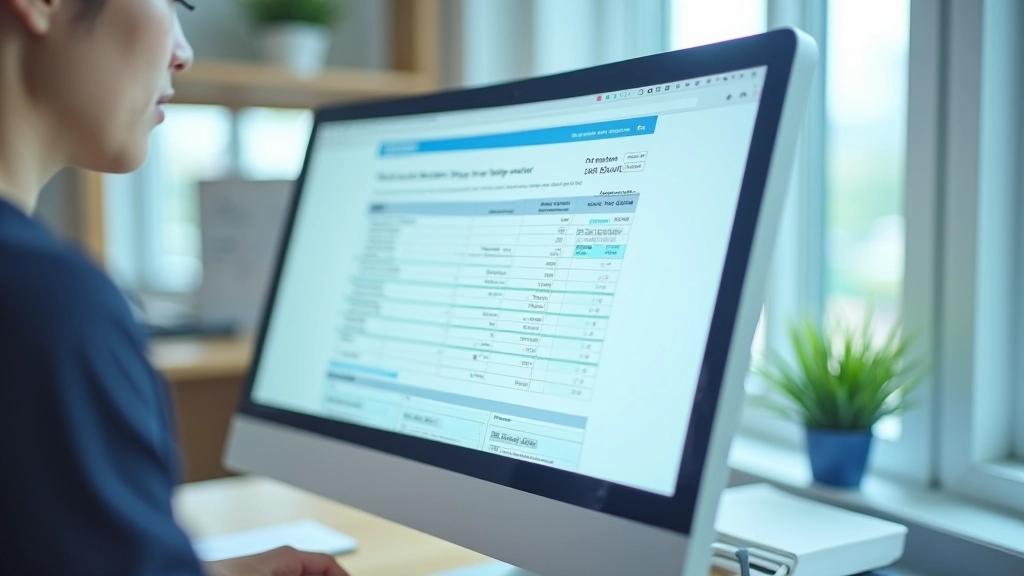
Before you hit submit, you’ll see a review page. This is crucial — don’t skip it. The system shows you everything you’ve entered: total income, total reliefs, calculated tax, PCB (monthly deductions already paid), and the balance due or refund you’ll receive.
Check these numbers carefully. If something looks wrong, go back and edit it. The system allows edits up until submission. Common mistakes we see: forgetting to include a spouse’s income on joint returns, miscalculating business expenses, or claiming reliefs you’re not eligible for. The LHDN system won’t catch these — you have to.
Once you’re confident everything’s correct, click “Submit.” The system will process your filing immediately. You’ll get a confirmation page with a reference number — screenshot or print this. You’ve now officially filed. If there’s a balance due, you’ll typically have until the filing deadline to pay it online.
“The e-Filing system gives you a reference number immediately after submission. Save that number. If there’s ever a question about whether you filed, you’ve got proof right there.”
— Tax Compliance Specialist
Not everything goes smoothly on the first try. We’ve compiled the issues people encounter most often, plus the actual solutions that work.
Click “Forgot Password” on the login page. You’ll be asked for your identification number and registered email. They’ll send a reset link. Check your spam folder if it doesn’t appear in your inbox — this happens surprisingly often. Reset link typically expires in 24 hours, so act quickly.
The system pulls income data from employer reports (EA forms). If your actual income differs — maybe you had a month unpaid leave — you can edit it. Change the amount and explain why in the remarks section. Keep documentation of leave letters or salary statements. The LHDN might request these.
The system validates some reliefs automatically. If you claim education relief but the amount exceeds RM7,000 annually, it’ll reject it. You might be claiming for multiple dependents or multiple education instances — that’s allowed, but you need to itemize it. Add details in the supporting remarks field.
The system highlights errors in red. Work through them one by one. Usually it’s formatting issues — phone numbers need dashes, dates need correct format, or required fields left blank. If you’re stuck on a specific field, hovering over it shows what format is expected.
The LHDN e-Filing system is genuinely more user-friendly than it was five years ago. Yes, there’s a learning curve, but once you’ve done it once, the second year is faster. You’ll know where everything is. You’ll remember which reliefs apply to you. You’ll breeze through in 30-40 minutes instead of struggling for two hours.
The biggest mistake people make is waiting until the last day to file. That’s when the servers are slowest and when you’re most likely to make rushed errors. File early — even two weeks before the deadline gives you breathing room to fix problems if they come up. Plus, if there’s a refund coming, filing early means the money reaches your bank account faster.
Keep your reference number, maintain good records of income and receipts, and don’t be afraid to contact the LHDN directly if something doesn’t make sense. They’ve got helplines and email support. The system is designed for Malaysian taxpayers — you’re not the first person with a question, and you won’t be the last.
You’ve got the steps, you understand the process, and you know how to handle common issues. Now it’s just about taking action. Visit hasil.gov.my, login, and start your return. You’ve got this.
Explore More Tax GuidesThis guide is educational and informational in nature. It’s designed to help you understand how the LHDN e-Filing system works, not to serve as tax advice. Tax situations vary significantly based on individual circumstances, income sources, and eligibility for different reliefs. While we’ve provided accurate information about the filing process, you should verify specific details with the LHDN directly or consult with a qualified tax professional for your personal situation. The LHDN website (hasil.gov.my) is always the authoritative source for current tax rates, relief amounts, and filing requirements. Tax regulations change annually, so ensure you’re using the most current information when filing.
How Malaysia’s progressive tax system works, which bracket you fall into, and why the rates matter for your financial planning.
Read Guide
Overview of major tax reliefs available to Malaysian taxpayers including personal, spousal, child, and education reliefs.
Read Guide
Understand how Potongan Cukai Bulanan (PCB) works, how your employer calculates it, and how it affects your tax filing.
Read Guide